Free + Pro
01 /
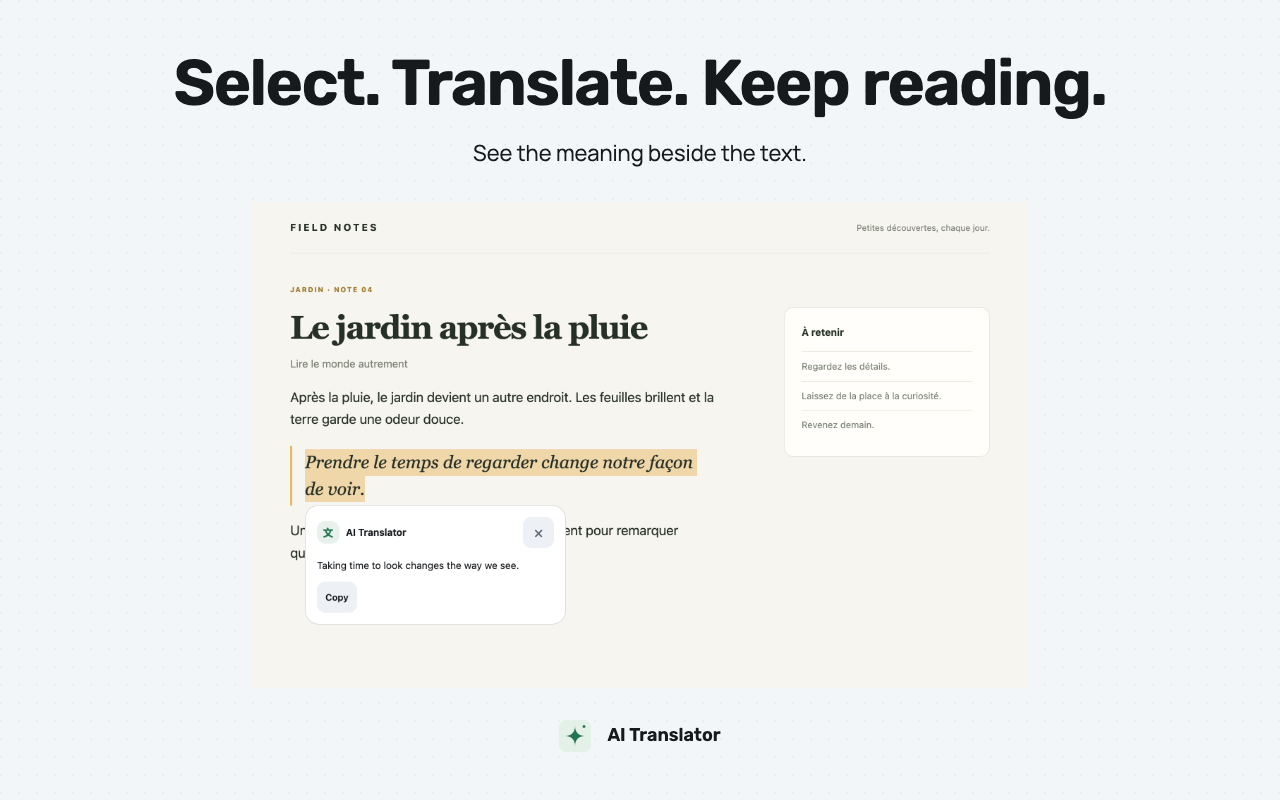
Select. Translate. Keep reading.
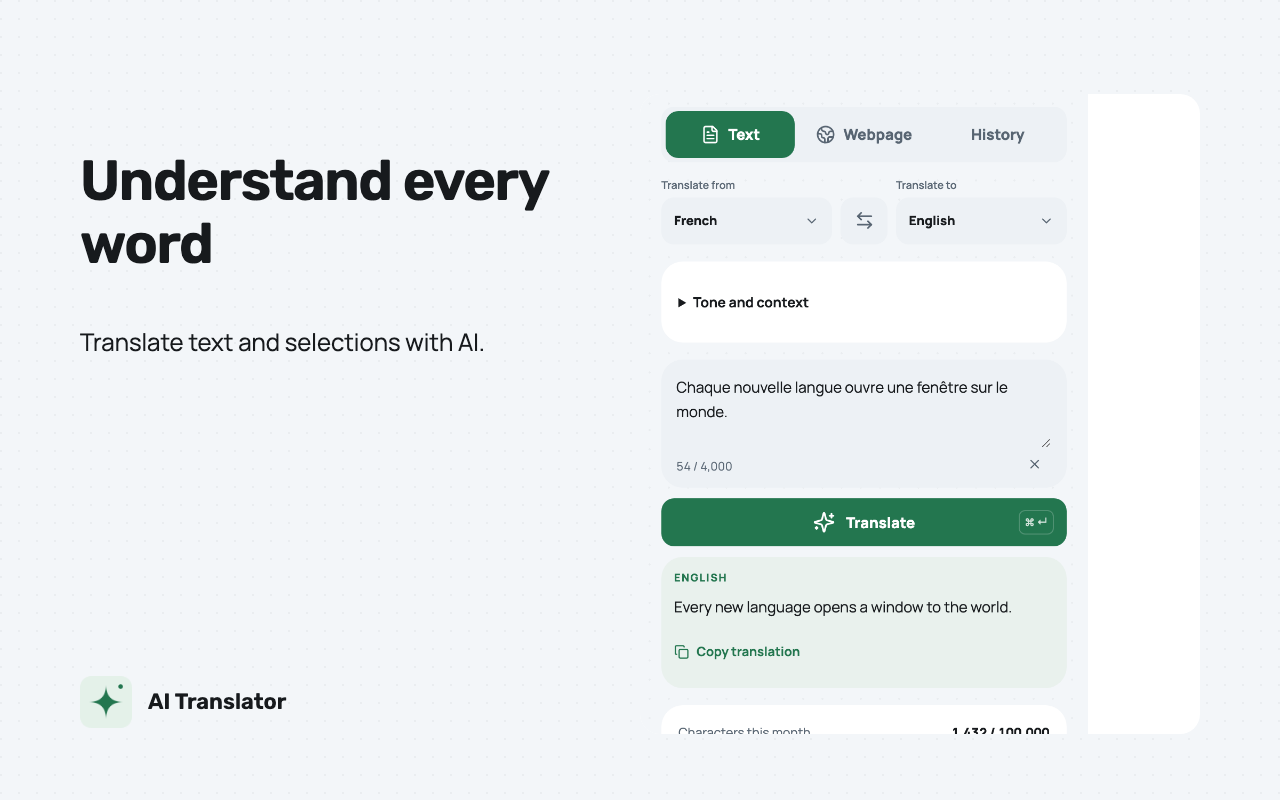
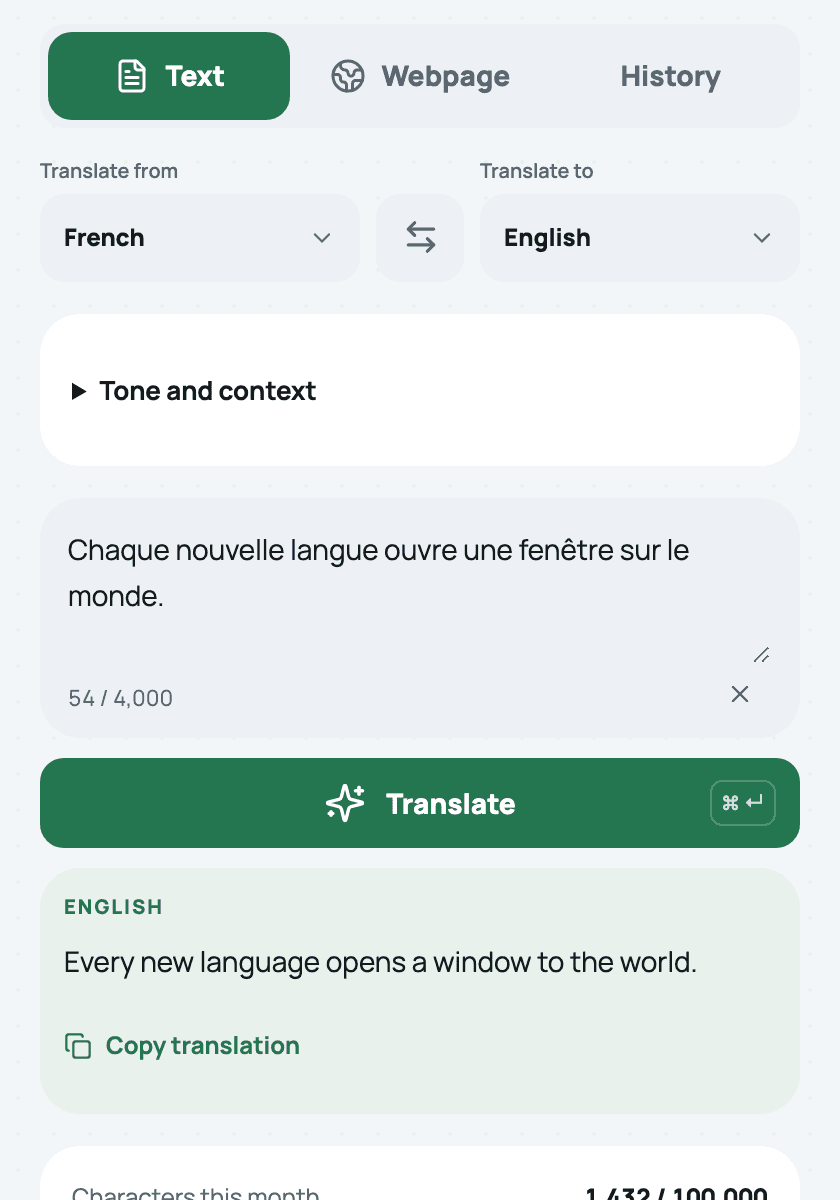
Enter text in the popup, or select a passage and click its translation icon. Detect the source language automatically and copy the result when you need it.
 AI TranslatorBY IHOR.DEV
AI TRANSLATOR FOR CHROME
Translate selected or pasted text with AI in Chrome. Pro adds webpage translation, tone controls, optional context, and more local history.
Chrome 120+ · Google sign-in required
Available in the Chrome Web Storev1.3.1
01 / YOUR EVERYDAY READING
Keep your place, choose what to translate, and carry on reading.
01 /
Enter text in the popup, or select a passage and click its translation icon. Detect the source language automatically and copy the result when you need it.
02 /
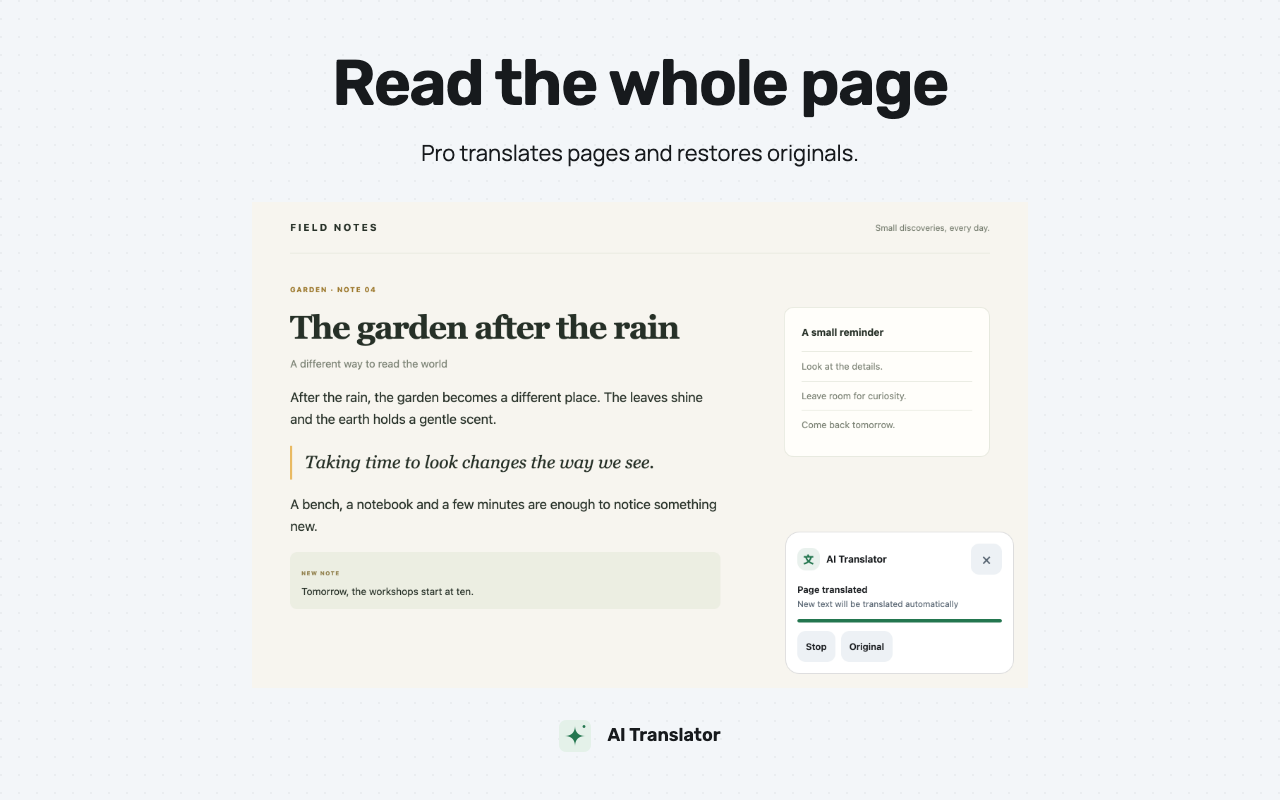
Translate eligible webpage text while keeping links and structure. New text can be translated during the active session. Stop or restore the original at any time.
03 /
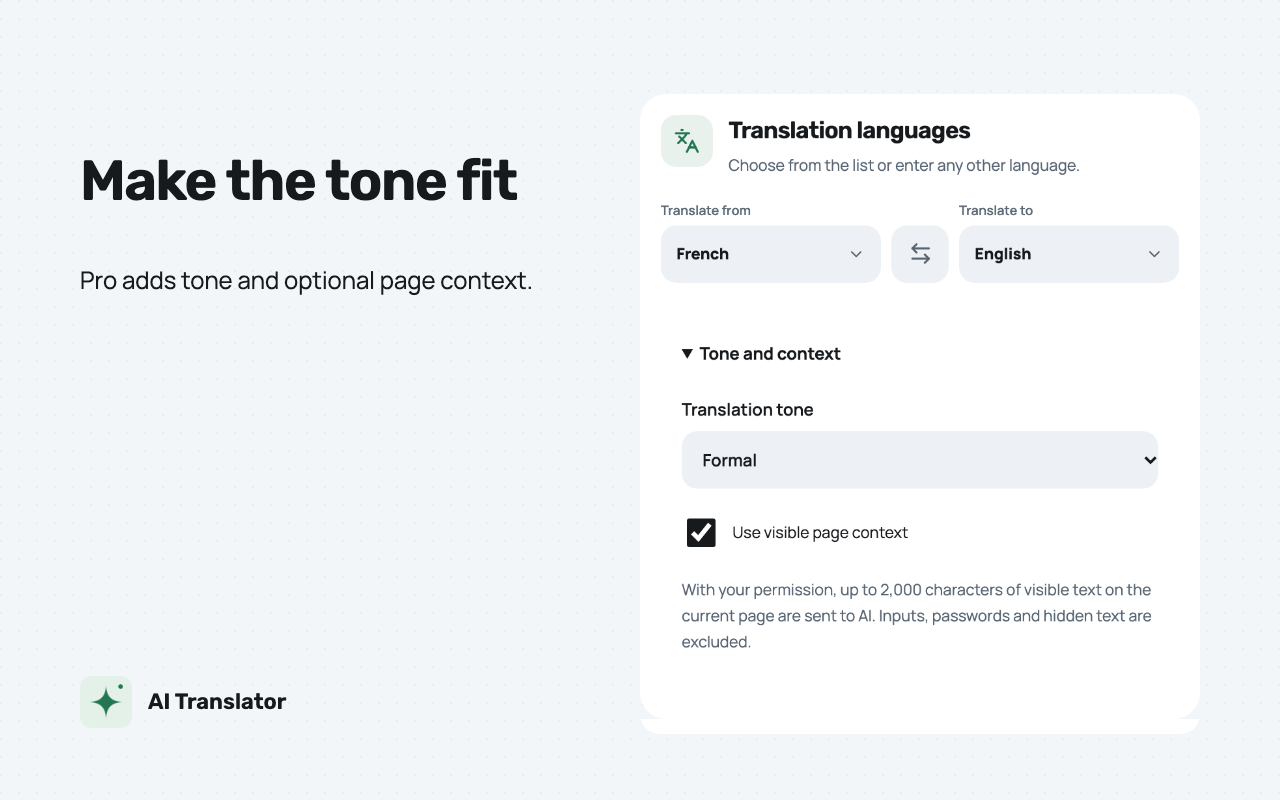
Choose a neutral, formal, friendly, or technical tone. Opt in to include up to 2,000 characters of visible surrounding text as page context.
AI Translator is a Chrome extension by IHOR.DEV / Ihor Kharchyshyn for translating selected or typed text without leaving your work. It is available in the Chrome Web Store. Pro adds full-page translation, optional page context, tone controls, and priority processing.
Free — $0: 100,000 source characters per calendar month UTC; up to 4,000 characters per request; text and selection translation; access to the latest 20 local history entries.
Pro — $4.99 USD/month or $39.99 USD/year: 2,000,000 source characters per quota month; up to 50,000 per request; full-page translation, optional context, tone controls, priority processing, and access to up to 1,000 local history entries. Annual payment is charged once per year, while the allowance renews monthly.
Free resets on the first day at 00:00 UTC. Pro follows the original subscription anniversary in UTC, clamped to the last day of a shorter month and restored to the original day in later months: January 31 → February 28/29 → March 31. Unused characters do not carry over. Characters include source spaces and punctuation and are counted as Unicode code points. The result, service instructions, and optional context are not deducted as source characters.
Subscriptions renew automatically until cancelled. Cancelling renewal keeps Pro access through the paid period. Allowance is reserved during processing, charged on success, and released on failure, cancellation, or expiration. Image translation and sales of one-time word packages are not part of the current offering. Historical purchase records remain available for support; previous word balances are not automatically converted or spent by new translations.
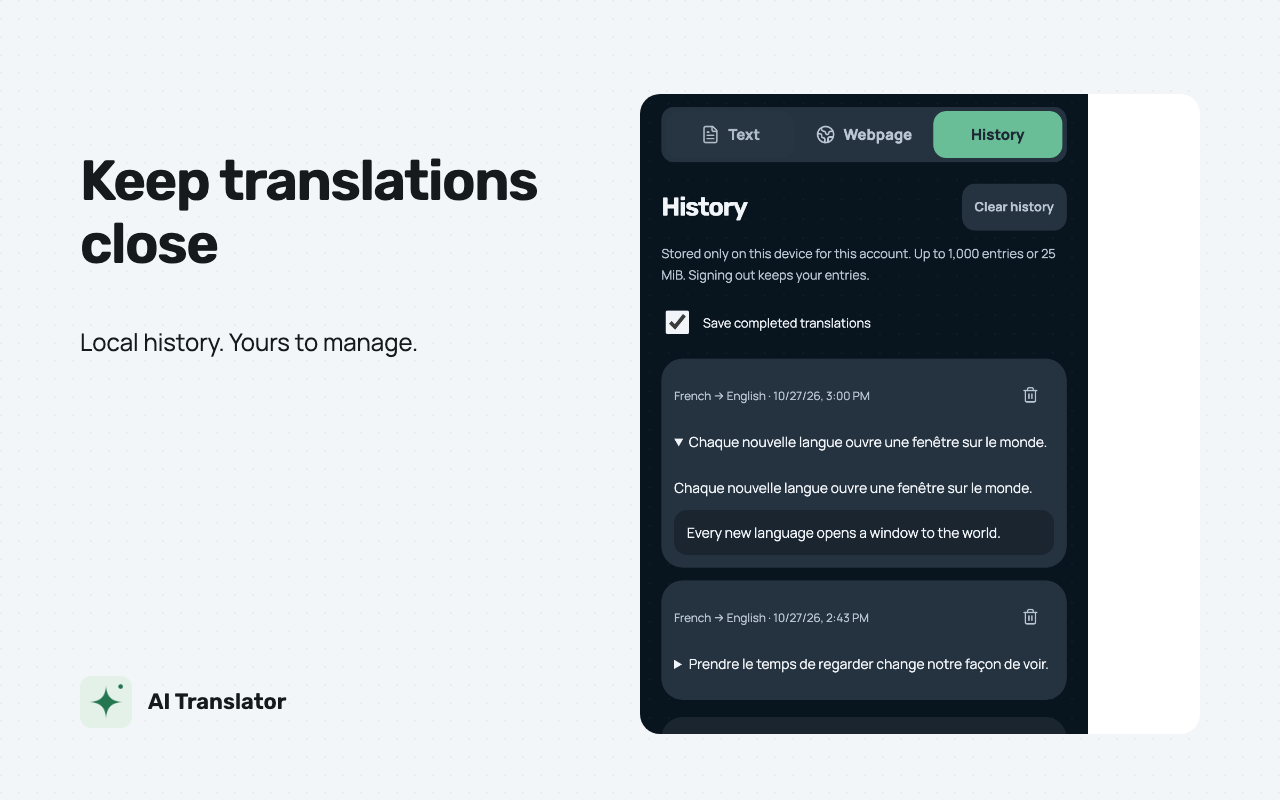
History stays in your Chrome profile, separated by account and billing environment, without cloud synchronization. Storage retains up to 1,000 entries or 25 MiB and removes the oldest when needed. Free shows the latest 20 entries; Pro gives access to up to 1,000. Downgrading alone does not delete older entries. You can delete entries, clear history, or disable recording. Signing out keeps the account’s local history.
Cloud jobs temporarily contain source text, optional context, and results; their 24-hour expiration is followed by asynchronous Firestore TTL deletion. Account, subscription, and payment records have separate retention purposes.
Install AI Translator from the Chrome Web Store, pin it to your toolbar, sign in with Google, and choose your languages. Chrome 120 or later and an internet connection are required. Product screenshots show the real interface with illustrative demo data.
Ordinary HTTP/HTTPS pages, accessible frames, and open Shadow DOM are supported where you allow site access. Editable controls, form fields, hidden content, and code blocks are skipped. Internal Chrome and Chrome Web Store pages, the built-in PDF viewer, canvas, text inside images, and closed Shadow DOM are unsupported. AI translations can contain errors and affect line wrapping.
Review the privacy policy, help and support, and subscription terms. Contact ihorkharchyshyn@gmail.com for support or privacy requests. Source on GitHub.
02 / INSIDE THE EXTENSION
A focused interface for text, webpages, and the translations you want to revisit. Light and dark themes fit the way you browse.
Screenshots show the real extension interface with illustrative translation data. Marketing captions are localized; the interface is available in English and Ukrainian.
03 / FREE & PRO
Start with a free monthly allowance. Choose Pro for longer texts, whole pages, and more control over your translations.
For everyday phrases and short passages.
$0 / month
For longer reads and a wider view.
$4.99 USD / month
Or $39.99 USD / year, billed annually. The character allowance still renews monthly.
Prices in USD. Free resets on the first day of each month at 00:00 UTC. Pro renews its allowance monthly from the original subscription date. Spaces and punctuation count; unused characters do not roll over. Subscriptions renew automatically until cancelled. Subscription terms
04 / YOUR TEXT, YOUR CHOICES
Translation uses cloud processing. Your history stays in your Chrome profile, and you control when text and optional context are sent.
Read the privacy policyStored locally, without cloud sync, up to 1,000 entries or 25 MiB. Free shows the latest 20; moving from Pro to Free does not itself delete older entries.
By default, selecting text waits for a click on the translation icon. Optional instant mode sends selections automatically. Submitted text and chosen context go to the service and its translation providers.
Turn history recording off, delete entries, or clear history. Pro can stop page translation or restore originals while they remain in page memory.
Ordinary HTTP and HTTPS pages where the extension has access. Editable areas, form fields, hidden text, and code are skipped. Chrome internal pages, the Chrome Web Store, built-in PDFs, canvas, text inside images, and closed Shadow DOM are not supported.
Yes. Install AI Translator from the Chrome Web Store, pin it to your toolbar, and sign in with Google. Choose your target language, then enter text or select a passage on a webpage. Chrome 120 or later is required.
Pro costs $4.99 USD per month or $39.99 USD per year. Both include a monthly character allowance. Cancel automatic renewal through subscription management to keep access until the end of the paid period. Uninstalling the extension does not cancel a subscription.
AI can miss details or change meaning. Review translations before using or sharing them. For medical, legal, financial, or other consequential material, use an appropriately qualified professional when accuracy matters.
Add AI Translator to Chrome and start with the free monthly allowance.
Add to Chrome